
Prompt_Settings
A GOOD ANIMATION STARTS WITH A GOOD PROMPT
General Formula:
[Medium] [Subject] [Artist] [Details] [Repository]
Ex. “A Sculpture of a Purple Fox by Alex Grey, with tiny ornaments, popular on CGSociety”,
The right choise of words is VITAL to get the best out of your animation
In general there are two ways to go:
Realistic or Artistic.
ARTISTIC
Start your prompt with what do you want your animation to look like: “intricate paiting; concept art illustration; surrealistic representation;” and so on.
Follow the formula and insert the subject and the artist/s.
Add stylization and character, Think about: how to i want to paint this. “brush strokes; oil on canvas; watercolor paiting;” and so on.
Add small details. “dust partciles; smoke; sparks” and so on.
Change the look. “sharpness, drammatic atmoshpere, gloomy atmoshepre” and so on
Last add some spice or magic words. “trending on artstation; masterpice of art; award winning; highly detailed”
REALISTIC
Start your prompt with what you want your animation to look like:
“photorealistic portrait; photo; accurate representation;” and so on.
Follow the formula and insert the subject and the artist/s.
Add stylization and character, Think about: how to i want to paint this. “3D; octane render;” and so on.
Add small details. “volumetric light; godrays; lumnia particles” and so on.
Change the look. “35mm, epic atmoshpere, cinematography” and so on
Last add some spice or magic words. “HDR, UHD, 64K; studio lighting; ultrarealistic” and so on
EXPERIMENT
There are no written rules, just written codes. It’s up to you to find your way to use them.
Go higher or lower with the settings, it might result in something interesting.
MIX IT UP! combine these settings to create your personal look.
By staying connected with the community, you will discover new elements to add to your mixture.
Think out of the box: What hasn’t been done yet? What if I combine “this element” and “that element”?
This is the fun part before moving on to more advanced topics!
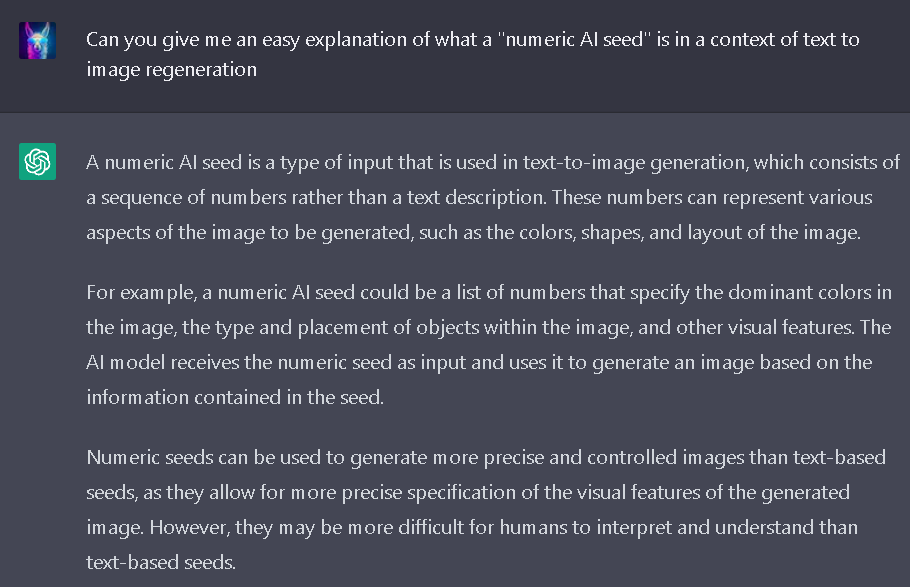
You can use seeds to mix, change, replicate, and test.
Find a seed you enjoy, keep it, and experiment by adjusting parameters and prompts to create variations.
In a “client job” situation, seeds are the real life-savers!
I have received some of the strangest requests from clients, and it is important to always be prepared to find creative solutions to make changes and fixes.
Maintain the same seed and modify a few words, try different styles, and fine-tune the examples to present to your client by experimenting a bit.
With different types of prompts come different settings
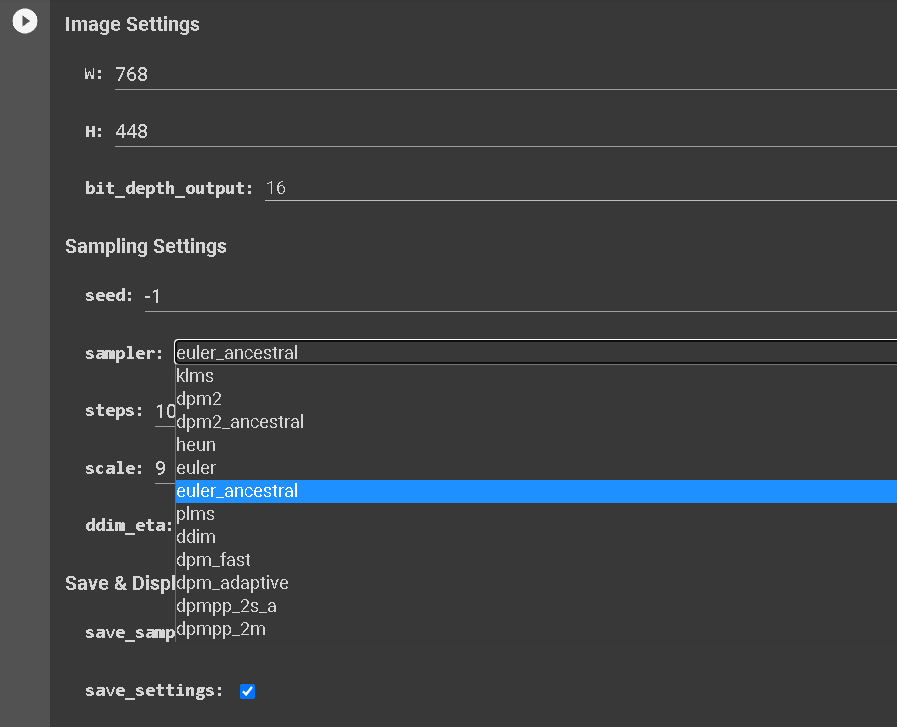
Choose the right sampler for the prompt.
I will now cover the most important ones:
BETTER WITH ARTISTIC STYLE
klms
dmp2
heun
eurel
plms
dpmpp_2m
These samplers work better with more intricate brushstrokes, complex details, more attention to artistic aspects of the image in general. Most of the time they require a decent amount of steps (20/25 for testing - 60/above for good resuts - 150/200 can get experimental) in order to generate good looking images, oderwhise you will get small errors and artifacts in your render. They do not necessarily require an high value of scale (Generally values between 5 and 9 are okay. Going too high above 12 is going to most likely result in artifact. Around 15 gets experimental). This samplers struggle with good lighting and this is the reason why we use them mainly for artistic stuff.
From my studies and the studies of the AI community it appears that:
eurel is faster, as it renders less details.
dpmpp_2m (recently added) should be a “better” version of dmp2 and they are combining good artistic details with decent lighting.
klms is the more artistic and probably the slower one, as it “pays more attention” to complex details.
BETTER WITH REALISTIC STYLE
eurel_ancestral
dmp2_ancestral
dmp2_adaptive
dpmpp_2s A
These samplers work better with good realistic lighting, chrome or metal surfaces, portraits, and they just look more realistic in general.
They generate less complex details, as well as less “ AI noise” and so, likely less artifacts. The steps in this case are going to affect more the lighting, the realism and also the quality of the image in general.
A low steps value will not generate as many artifacts as with the artistic samplers but the fedelty of your details is going to suffer a lot.
The scale value plays a slightly more important role here compared to the artistic samplers, because the right scale value can result in the best colors and lighting for your render you (values between 9 a 12 can be ok in this case).
From my studies and the studies of the AI community it appears that:
eurel_ancestral is the faster, as it renders less details.
dpmpp_2s A (recently added) it should be a “better” version of dmp2 ancestral and they are combining good lighting details with decent artistic details.
dmp2 adaptive seems very reactive to the scale parameter and this can significantly change the look of your render.
IMPORTANCE OF SEEDS
I will take a step back here and let the AI speak for itself…
Thank you Mr. GPT!
"a photorealistic paiting of beautiful princess in red dress, by Marc Simonetti, sharp details, cinematic lighting, trending on Artstation"
EXAMPLE FROM A RANDOM SEED
COPY THE SEED
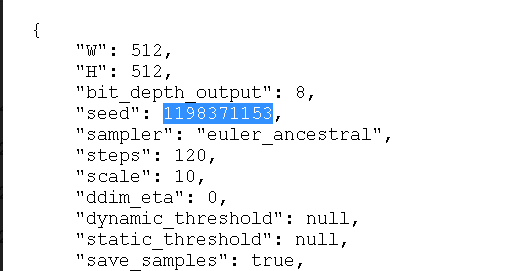
AND CHANGE:
"a photorealistic paiting of beautiful princess in red and blue dress, by Marc Simonetti, sharp details, cinematic lighting, trending on Artstation"
CONGRATS!
That was a substantial amount of information.
I would really encourage you to experiment with what you have seen so far before jumping into the next chapter.
At this point you have enough knowledge to render some really good looking stuff, just play around with it and have fun!
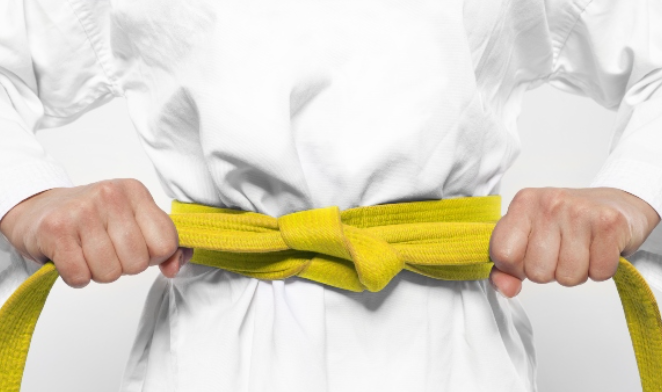
“"Well done on earning your yellow AI belt!
You have proven your skills and are well on your way to becoming a master of the digital canvas. Keep up the good work and let your creativity shine!”
~ChatGpt
Please note that the behavior of some samplers may alter with new updates or versions.
In my experience, these changes tend to be for the better.
BONUS TIP
Use ChatGPT to mix thigs up in your prompt while keeping the same content with this little trick
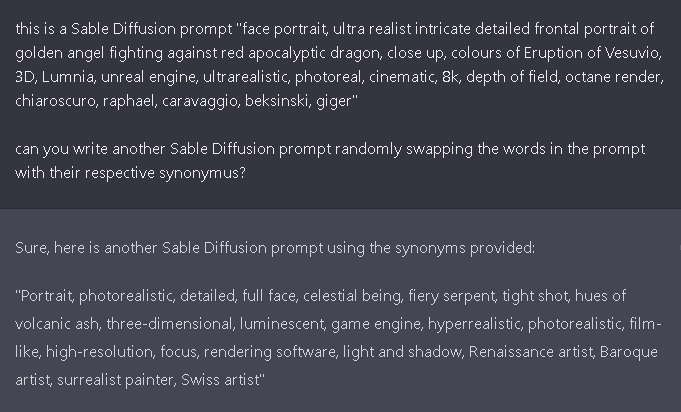
or you can just ask for a list of synonyms:
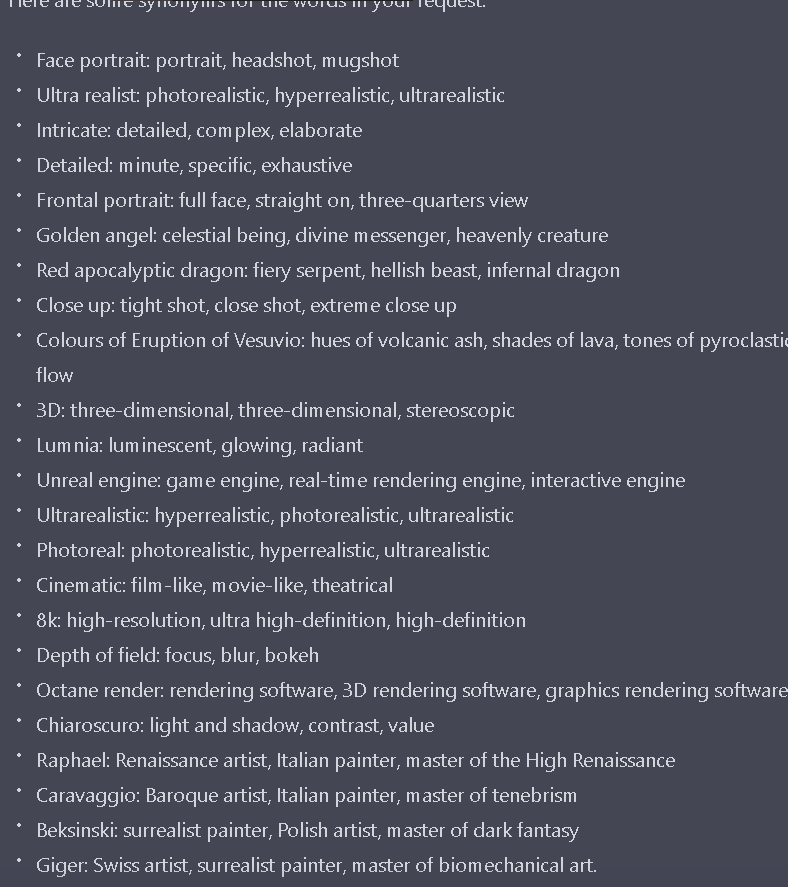
updated to
— 15/01/2023 Deforum version